DING DONG STREAM DITCH TV Filming & Posting Guide
Camera stability, map-by-map clip ideas, lobby etiquette, and how to make doorbell runs read as real highlights.
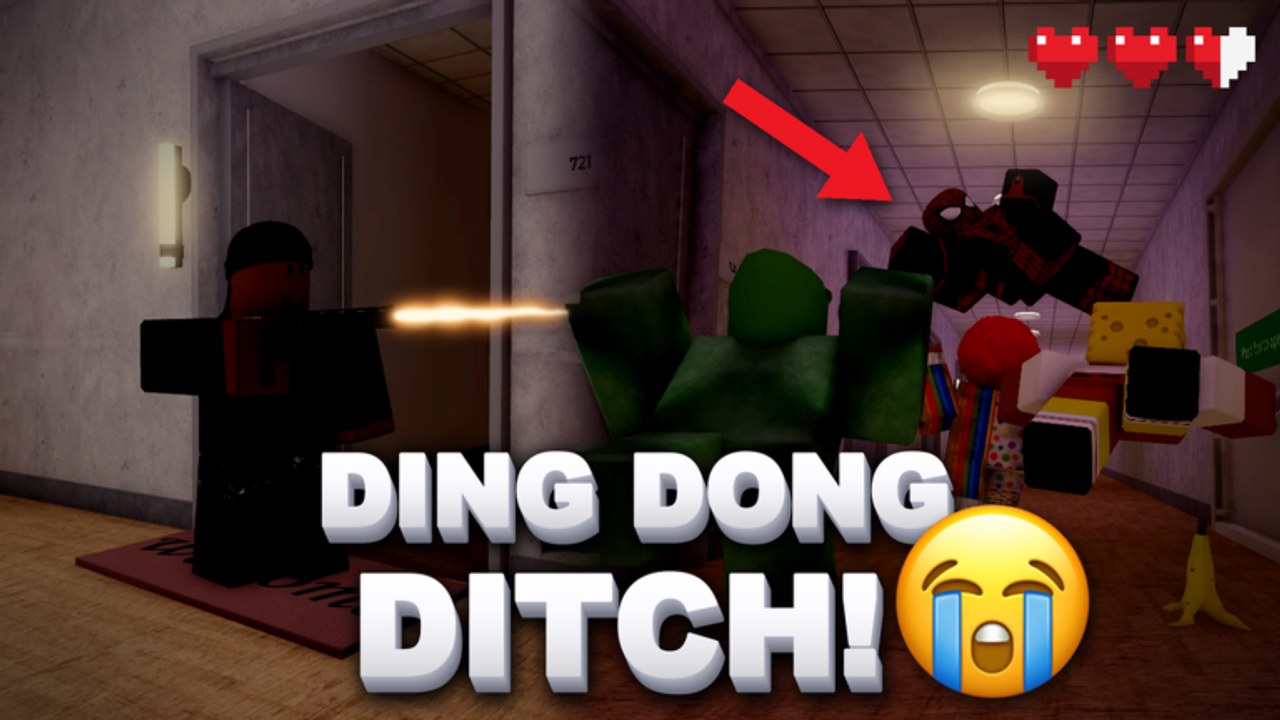
DITCH TV is the in-game highlight desk for DING DONG STREAM! by Tsuu Studio. Great ding-dong runs deserve more than a shaky phone capture buried under menu UI. This guide covers how to film cleaner clips, what reads well on each map, social etiquette in crowded lobbies, and how to connect posting habits to better play. Pair systems tips on the Tools Hub with the mechanical loop in How to Play so your highlights come from real skill—not lucky chaos alone.
What DITCH TV is for
DING DONG STREAM! sells a livestream fantasy: doorbells, timers, chat energy, and escapes into lockers, wardrobes, or bushes. DITCH TV lets players publish short proof that the joke landed. Servers can hold up to 24 players, so competition for attention is real. Update 1.2 Part 2 made spectacle louder with props like TNT, Hot Potato, Rocket Breach, Door Ram, Hammer Throw, and Boxing Gloves—which means bad clips got noisier too. Your job is to make the subject readable: who dinged, what threatened them, and how they escaped.
This page is not a substitute for learning maps. If you cannot finish a calm Endless stream, film practice first using Getting Started and the Guides Hub, then return here when you have a run worth posting.
Camera stability before anything else
Most failed highlights die in the first second because the viewer cannot tell what they are watching.
PC tips
- Lower frantic mouse flicks during the porch approach; save hard turns for the escape.
- Keep the door and your exit path in frame before you ring.
- Avoid opening the full shop UI mid-clip unless the joke is specifically about shopping street impulse buys.
Mobile tips
- Stabilize with two thumbs and fewer accidental camera yanks—see Controls if your layout fights you.
- Prefer slightly slower porch walks so the ding is visible.
- Do not start recording while spinning menus; start when you commit to a door.
Console tips
- Soften look sensitivity for highlight nights if your default is built for Chaos flicks only.
- Keep the reticle or center of frame on the porch subject, then pan with the sprint—not before.
If the feature lets you trim, cut the boring walk from spawn when possible. If it does not, stage the start closer to the door so the clip opens on intent.
What clips well per map
Use the Maps Guide for routes; use this list for storytelling.
- Suburbs: Clean bush escapes after a visible ding. The joke is suburban calm broken by a perfect hide commit.
- Hotel: Vertical escapes—stair mouth denial into a wardrobe two floors away reads better than endless lobby circles.
- Hood: Alley breaks after a contested porch. Show the choke, then the slip.
- High School: Setup → breach or gloves → escape. Chaos energy works when the beat is clear; pure noise does not.
- Long Hallway: Break vision off the spine into a side room hide. Clips that stay on the hall forever look like AFK skating.
- Hospital: Discipline escapes—fewer doors, higher quality, a single clutch wardrobe after a seeker glance.
- Ghost Village: Mood plus mind games. Fake heat, then a quiet ding on the opposite wing.
Role twists change the camera subject. In Seekers vs Prankers, a seeker denial at a choke can be as entertaining as a prank escape—film the hold, not only the doorbell. Deep role notes live on Seekers vs Prankers and the Players Hub.
Shot structure that survives mute viewing
Assume nobody hears your mic.
- Establish the porch (one beat).
- Ding (must be visible).
- Threat or chase (seeker, neighbor energy, or prop pressure).
- Decision (hard hide vs long kite).
- Payoff (locker/wardrobe/bush commit or clean timer save).
If step 3 never appears, you posted a walking simulator. If step 5 is another menu screen, you posted a UI reel. Props should support the beat: Door Ram for tempo, Boxing Gloves for a readable shove, TNT only when the explosion covers a planned rotate—not as constant background radiation.
Etiquette in 24-player lobbies
Highlights are social. Bad etiquette creates enemies faster than seekers do.
- If a teammate is clearly staging a clip, give them about ten seconds of space.
- Do not locker-trap allies “for content” unless everyone opted into grief comedy.
- Call your clip attempt once: “filming porch left” is enough; a speech is not.
- In Chaos, agree that mega explosives are act breaks, not permanent weather.
- Credit duos when a rotate only worked because someone baited. Habit talk continues on the Players Hub.
DITCH TV nights feel better when the lobby treats cameras as shared infrastructure. You still compete for funny—just not by deleting someone else’s setup every life.
Practice loops that create postable runs
Random Chaos can luck into a viral second. Reliable creators farm setups:
- Warm up in Endless until porch commitment is automatic (How to Play).
- Pick one map and two hide types from Hiding Spots.
- Run three intentional “clip attempts” with a pre-chosen exit.
- Post one clean highlight instead of five muddy ones.
- Review what failed: camera, scout, or hide quality—then fix that one variable.
Systems habits help too. Redeem codes, claim daily playtime rewards, and keep Spin Stream budgets sane via Tools so you own the prop that makes your favorite beat possible. Do not postpone filming until you own every Update 1.2 Part 2 toy; film with what you have, then unlock on purpose.
What clips poorly (and why)
- Shaky first-person with no porch subject.
- Thirty seconds of shopping street UI.
- Team grief without context or consent.
- Hot Potato openers that kill the filmer before the joke lands.
- Re-ding montages where every door looks identical and nothing escalates.
- Seekers camping a single bush with zero patrol story.
If your last five posts look the same, change map or mode. Variety is part of why DITCH TV stays watchable inside a party game.
Linking highlights back to improvement
Treat every post as a VOD review for yourself. Ask:
- Did the ding read?
- Was the escape pre-aimed?
- Would a seeker with average awareness have caught this?
- Did I need that prop, or did it only add noise?
Answer honestly, then drill the weak step. Use Seekers vs Prankers if role pressure is ending your clips early, and the Modes Guide if you keep filming Deadly like it is Chaos.
Session checklist for DITCH TV nights
- Confirm controls feel stable on your device.
- Choose one map story (for example Suburbs bush or Hotel stairs).
- Tell your squad you are filming one porch attempt.
- Execute scout → ding → hide/kite → timer check.
- Post the cleanest take only.
- Redeem codes / claim playtime later so menus stay out of the reel (Tools).
- Bookmark routes on the Guides Hub for tomorrow’s improvement.
DITCH TV rewards clarity. Stabilize the camera, pick a beat the mute viewer can follow, respect teammates who are also staging jokes, and let your best doorbells do the talking. When filming habits and play habits improve together, highlights stop being accidents—and start looking like a show you meant to run.
Frequently Asked Questions
Quick answers about codes, maps, modes, and stream runs.
What is DITCH TV in DING DONG STREAM!?
An in-game highlight posting feature for sharing strong ding-dong ditch runs with the community.
How do I make clips easier to watch?
Stabilize the camera, open on the porch, show the ding, show the threat, then land a clear hide or escape payoff.
Which maps clip well for beginners?
Suburbs bush escapes and readable Hotel stair exits are easier to film than pure High School chaos.
Any etiquette rules before posting?
Give teammates space when they are staging a clip, avoid non-consensual grief for content, and post one clean take instead of spam.
Where else should I look for systems tips?
Use the Tools Hub for Spin Stream and farming habits, How to Play for the core loop, and Players for squad coordination.